Bluetooth is keeping's reconnecting or looses connection for 2 secs and ends up with a lag.
I have tried resetting the device, making sure there is no update on both the radio and phone. Checked the wire connection to make sure I didn't miss anything
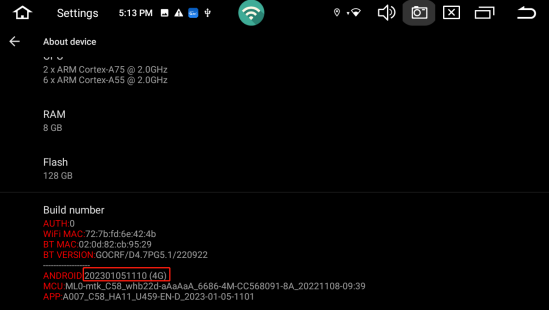
@Naresh Could you please go to Settings>About Device>Bulid Number, and provide version information to us.
@Roadanvi Support Sure no problem 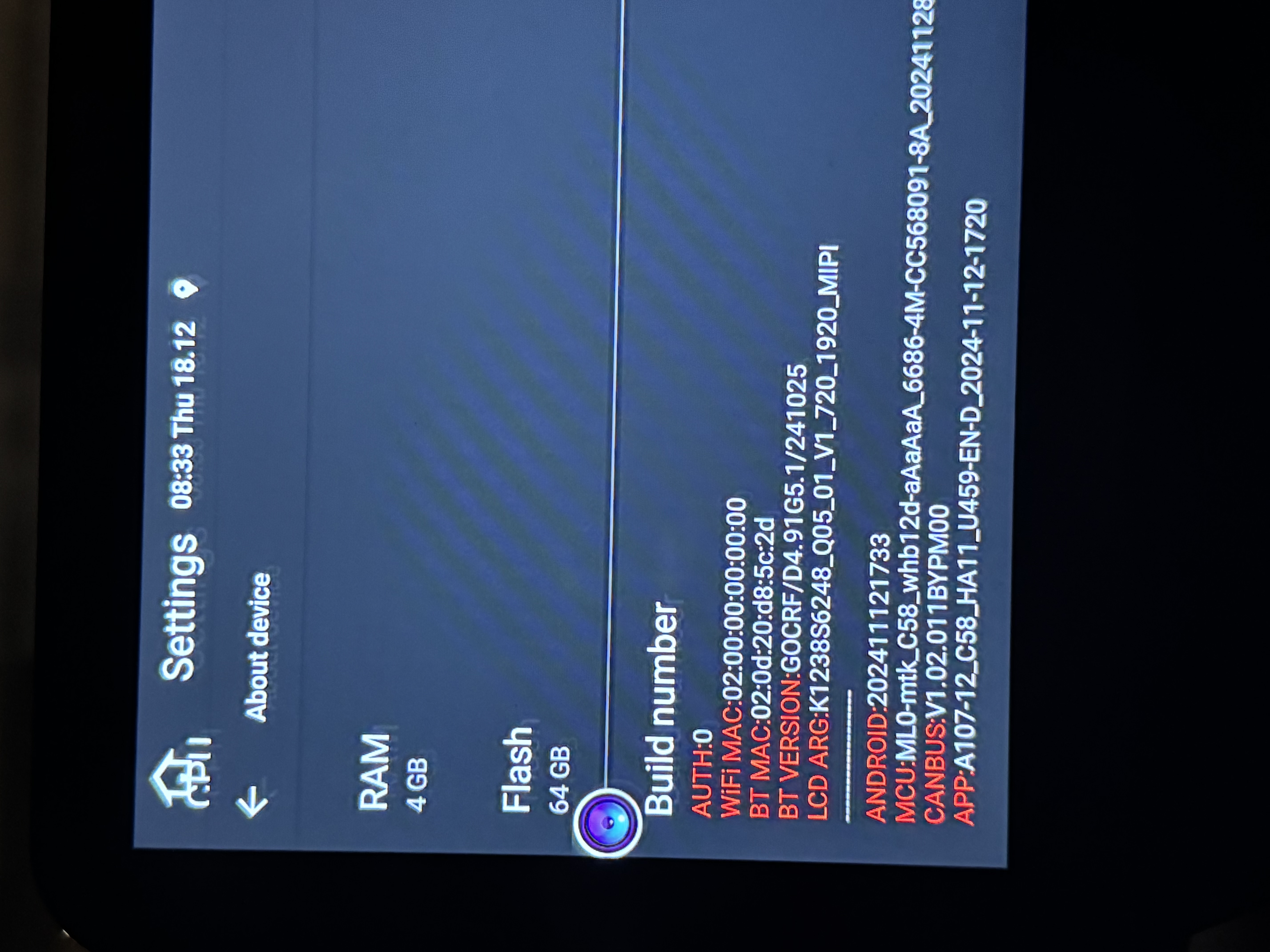
@Naresh
X12d(20250725)
- Format the USB disk(FAT32 Format)or SD card via a laptop or a computer;
- Download the firmware via the link and copy it into the formatted USB disk or SD card;
- Connect the USB disk or SD card with the named USB cable;
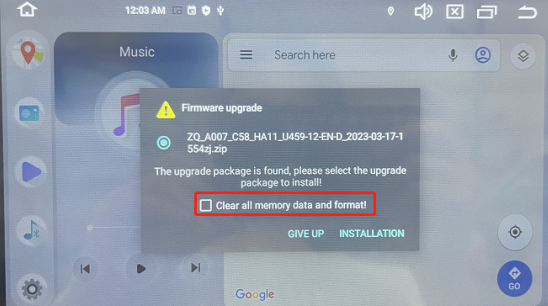
- It will pop out a upgrade tips,please tick “Clear all memory and format”and confirm “INSTALLATION”;
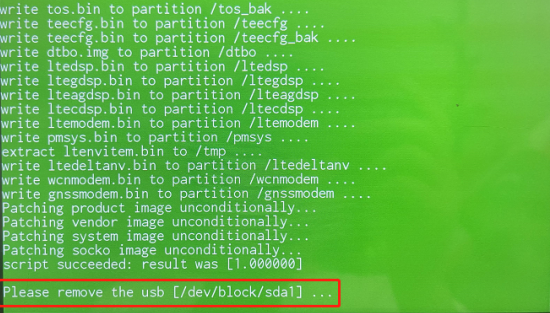
- Wait about 5 min and you will see the screen turn Green, then you can disconnect the USB disk or SD card and wait for update successfully;
- Go to Settings-System-System update and Click “Restore factory”;
- Go to Settings-About device and shot a photo to the customer service to confirm if the update was successful or not.
Note:Make sure to backup any important data as the upgrade process will erase all existing data on the head unit and make sure to download the correct version that matches your device model and firmware version. Ask our customer service for further assistance if possible.
@Roadanvi Support made it to green screen and followed all directions, from the update to clear memory and all that. Now the system won't power on at all no matter what I do. Checked fuse , checked all wiring and nothing. Won't come on
@Roadanvi Support just changed both the car interior fuse and behind the head unit fuse (which sparked indicating there in power) , disconnected and reconnect all wires, and disconnected and reconnected the battery. Unit still gets no power to it and nothing works
I started this issue 3 days ago. I researched every post on this and seems like yall send out the same Dropbox file.
I downloaded it on a SD card and a FAT32 USB, but when tried both the SD and FAT32, nothing is popping up on the screen.
I even factory reset and reset my phone and nothing seems to work.
@Spencer
Hello.
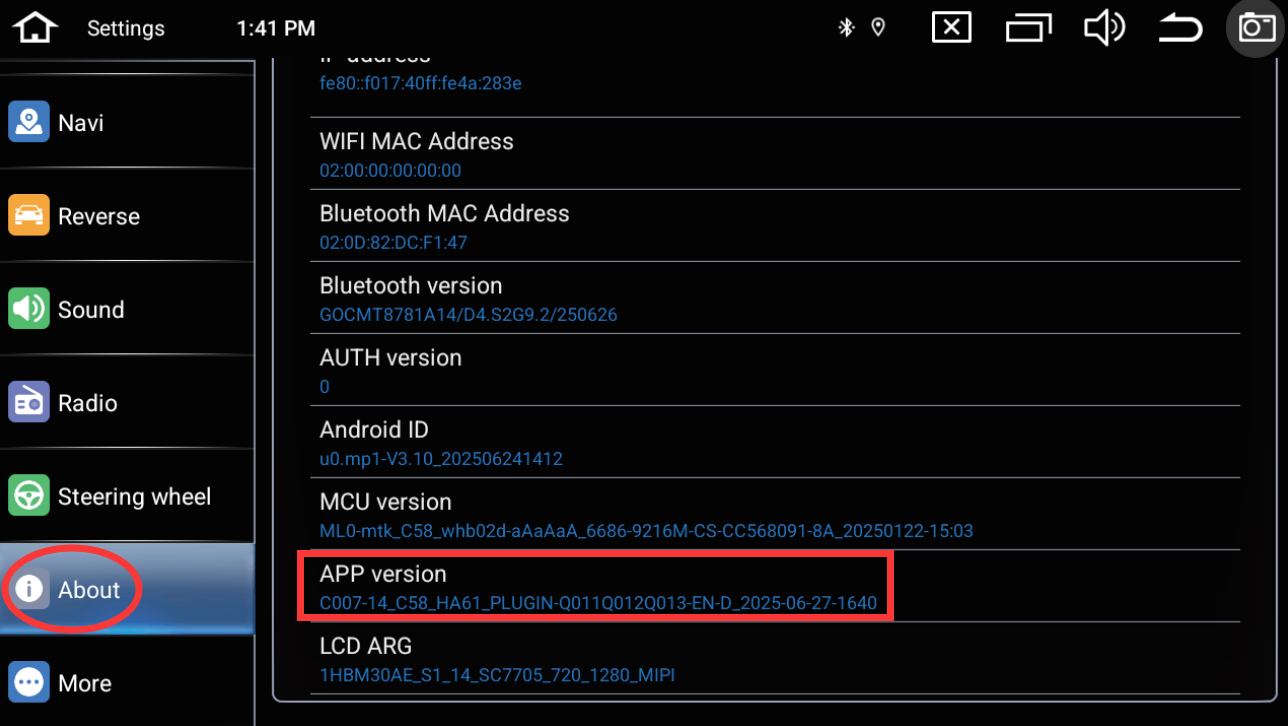
In order to help you better, please provide below APP version picture to our email address and indicate your Order ID# in email subject.
Thanks in advance.
Email: office@roadanvi.com
Go: Settings > About > APP version