Experiencing These Issues After Update?
🔹 Bluetooth not connecting
🔹 Pairing failures or random disconnections
Quick Solution:
Go to Settings > Car Settings > Factory Settings(0000) > ARM Settings > Make sure the BT Type and Baudrate is the same as below.

@Roadanvi Support don't know what to do ,Bluetooth connection doenst work
Want to know if there is any updates available for the roadanvi X12 .....apparently the last one was 2012 ?
@Ben Jaz
Dear Ben,
Could you please go to Settings>About Device>Bulid Number, and provide version information to us.
I'm having trouble with my Bluetooth connection. At first it was just dropping out during calls. 2 days ago it took a very long time to connect at all. Today, my phone does not detect any Bluetooth signal coming from the head unit.
Here is my current firmware. I have an issue where the carplay will constantly be trying to connect to my phone but it won't work. So I go to try to remvoe my phone from the systems bluetooth as a kind of soft reset and I can't remove it. I have to keep going into factory settings and changing the settings and/or doing a whole reset every time. This happens every month or so. I have had this one for a year now.
Also, is there anyway I can override the bluetooth for the carplay when this happens and just use a usb cord for direct carplay? When I plug it in, it doesn't work.
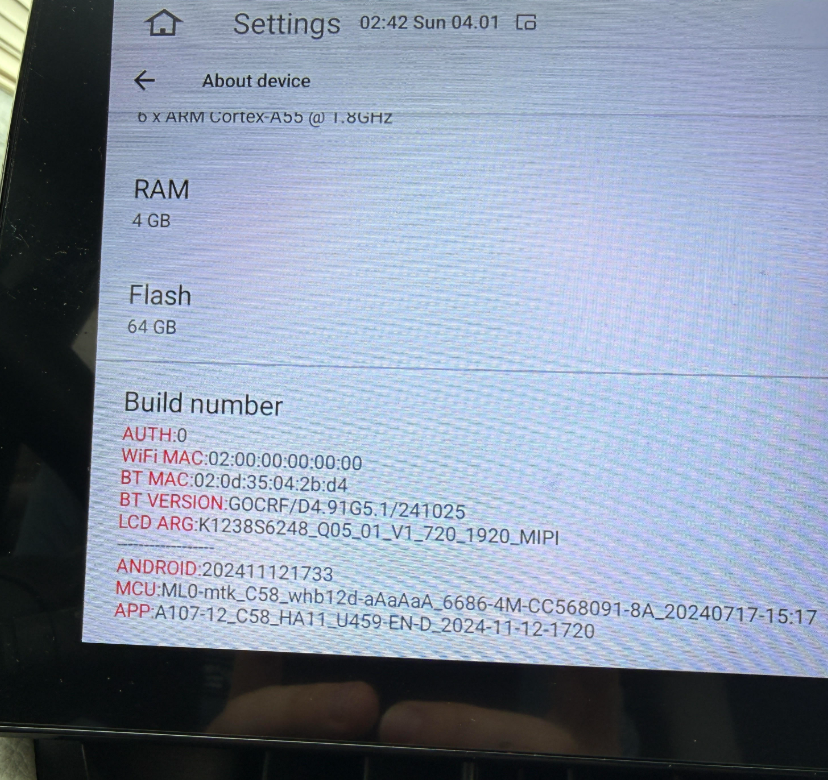
@John Maas
Hello,
Thank you for your contact.
Please try to update the system.
https://www.dropbox.com/scl/fi/iqa7i3skojavg2b3jb2ji/ZQ_A107-12_C58_HA11_U459-EN-D_2025-07-25-1450.zip?rlkey=25cm7nqd19pqdraz83w79zvtd&dl=0
1. Format the USB driver(FAT32 Format)/ or SD card via a laptop or a computer;
2. Download the firmware via the link that we sent you and copy it into your formatted USB disk or SD card;
3. Connect the USB disk or SD card with the named USB cable;
4.Then tick “Clear all memory and format!” and confirm “INSTALLATION”;

Wait about 5 mins and you will see the screen turn Green, then you can disconnect the USB disk or SD card and wait for update successfully;

Go to Settings-System-System update and Click “Restore factory”;
Go to Settings-About device and shot a photo to the customer service to confirm if the update was successful or not.
Note:Make sure to backup any important data as the upgrade process will erase all existing data on the head unit and make sure to download the correct version that matches your device model and firmware version. Ask our customer service for further assistance if possible.


